Feature
Batch crop scanned photos — one scan in, clean prints out.
Scanning old photos one at a time is the slow way. Lay a whole sheet of prints on your flatbed, scan once, and let CapCrop cut each photo out — straight, labeled, and ready to keep.
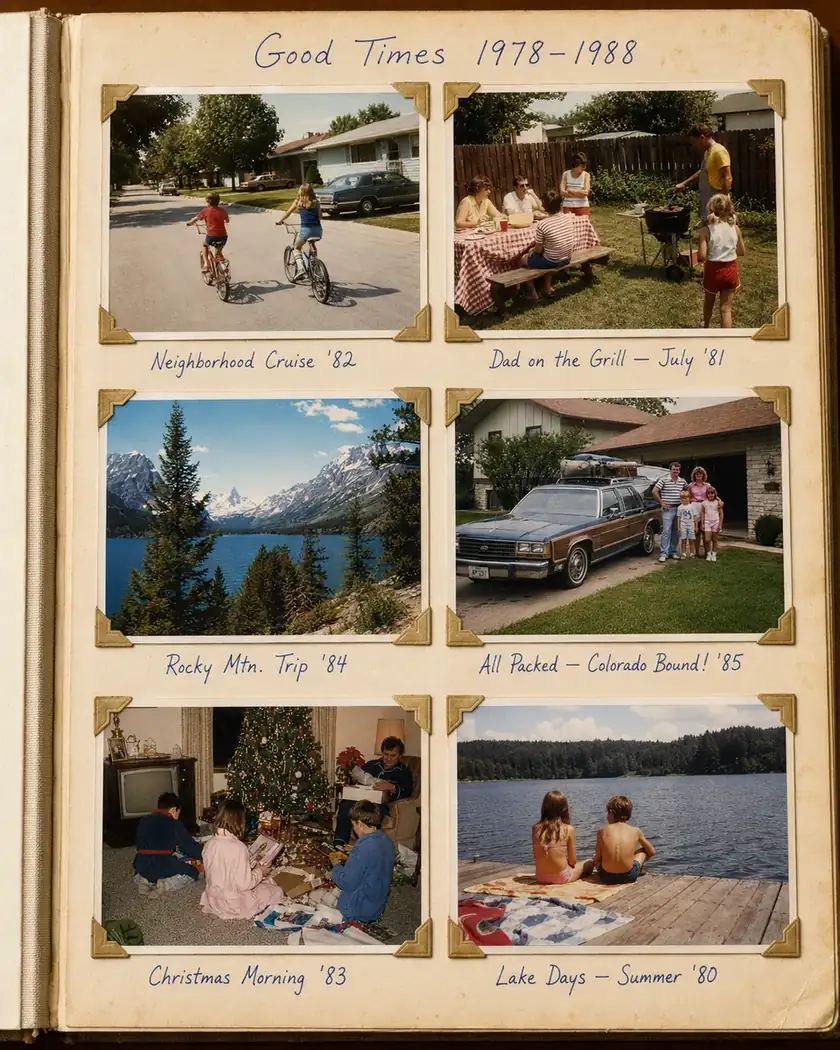
Why crop a whole sheet at once?
A flatbed scanner can capture five or six prints in a single pass. Scanning them individually means re-laying, re-previewing, and re-saving for every photo — a shoebox can take a whole winter. The faster path is to scan in batches and split the result into individual photos afterward. That one change turns an afternoon's work into what used to be a season's.
How CapCrop batch-crops your scans
-
Drop in the scan
Add the flatbed image — a whole sheet of prints, or a scanned album page. No per-photo scanning required.
-
Box each photo
Draw a box around each picture to lift it out as its own file. Mixed sizes and orientations on the same sheet are fine — each crop keeps its own aspect ratio instead of being squeezed to a uniform frame.
-
Straighten the crooked ones
Nudge a slider until a tilted photo sits level. Prints taped into an album at a slight angle come out square.
-
Label and sort
Add captions, tags, and folders so dozens of photos stay organized as you go — not a pile of
scan_0481.jpgfiles to sort later. -
Export and keep
Export a tidy zip of your finished photos, named the way you labeled them. They're yours to keep.
Good scanning helps the crop. Leave a small gap between prints on the glass and keep them roughly square to the edges — it makes each photo faster to box out. Full walkthrough: how to scan multiple photos at once on a flatbed.
More than cropping
Once a photo is cut out, CapCrop can take it the rest of the way:
- Restore faded prints — bring back washed-out color and clear dust and scratches.
- Caption, tag, and date — give each photo a caption, tags, even the decade, so a collection is searchable later.
- Scan color negatives — CapCrop finds the orange film base and inverts it toward natural color. See scanning color negatives on a flatbed.
Your photos stay yours
Cutting, straightening, and sorting all happen without sending your photos to any AI. A picture only reaches an AI partner the moment you tap Auto-tag or Restore — never before — and those partners are contractually barred from training on your content. And you can export or delete your photos anytime.
Be first to batch-crop your shoebox.
CapCrop is opening a private beta. Leave your email for an invite the moment it's ready.
No spam — one note when the beta opens, nothing more unless you tick the box.